

Description
Download Ashampoo Snap 11 – Free Screen Capture Tool for Windows & Mac
Looking for a reliable, high-quality screen capture solution? Ashampoo Snap 11 delivers powerful screenshot and screen recording features in a sleek, intuitive interface. Whether you're creating tutorials, troubleshooting tech issues, or sharing visual content, this software ensures crisp, professional results. With advanced editing tools, OCR support, and seamless cloud sharing, Ashampoo Snap 11 stands out as one of the best screen capture tools available. You can download the free 30-day trial on the official website to experience its full capabilities. Compatible with Windows and Mac, it’s ideal for students, educators, IT professionals, and content creators seeking a secure, up-to-date, and user-friendly screen capture app.
Advanced Screen Capture & Editing Features
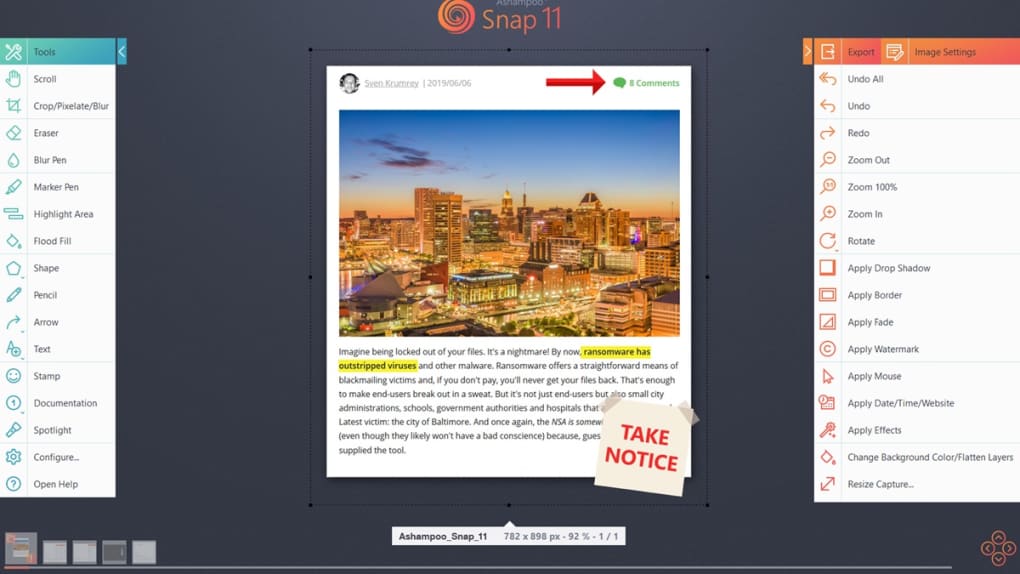
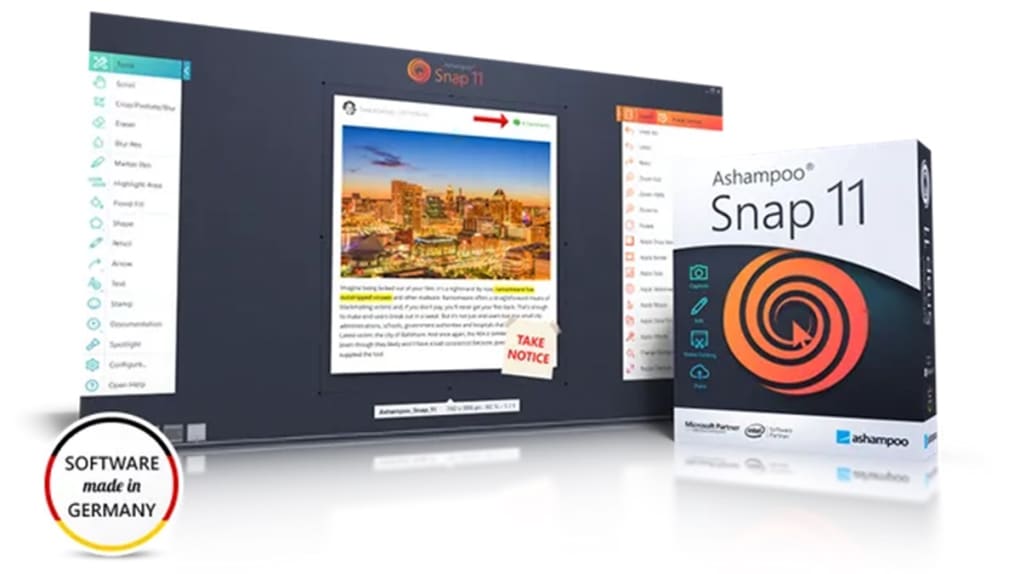
Ashampoo Snap 11 is packed with a robust set of features designed to simplify the entire screen-capturing workflow. From capturing still images to recording full-screen videos, this software offers everything you need in one place. The new user interface is a major upgrade — clean, modern, and highly intuitive. Tool icons are crisp and clearly labeled, making it easy to identify functions at a glance. Whether you're a beginner or a power user, navigating through the app feels natural and efficient. One of the standout features is the built-in optical character recognition (OCR), which allows you to extract text from screenshots and edit it directly. While currently limited to seven languages, this functionality is incredibly useful for quickly copying information from images without retyping. The software also supports auto-numbering for series of screenshots — perfect for creating step-by-step guides or documentation. You can also set a time delay before capturing, giving you time to open the right window or menu. Editing tools are where Ashampoo Snap 11 truly shines. You can draw arrows, add text boxes, highlight areas, blur sensitive data, and even insert shapes or logos. These tools are not just basic — they’re precise and customizable. For example, you can adjust line thickness, choose from various font styles, and apply transparency to overlays. The video editor is equally impressive, allowing you to trim clips, split recordings, and export in multiple formats including GIFs. All of this ensures minimal post-processing, saving you valuable time.Seamless Cloud Sharing & Cross-Platform Compatibility
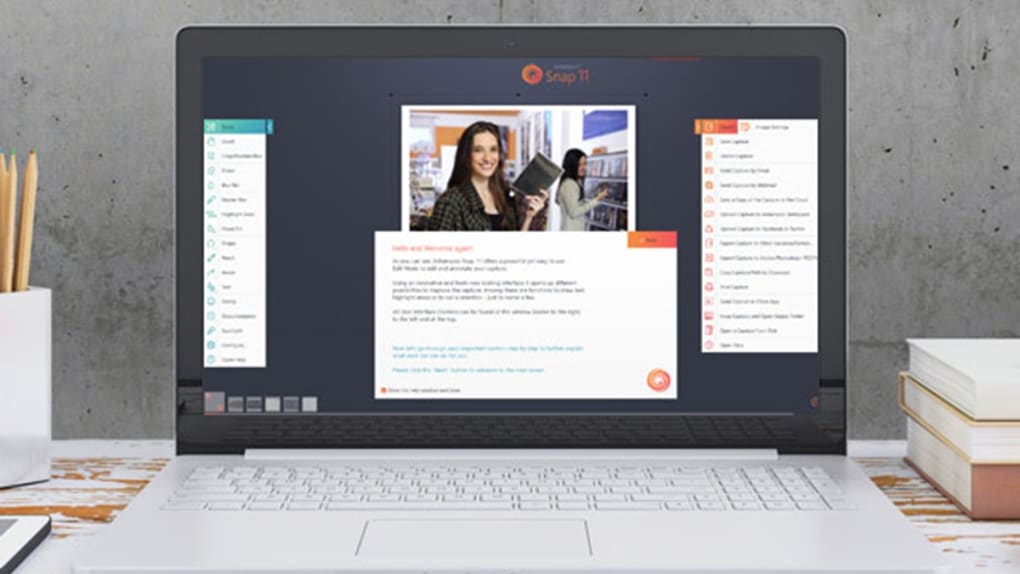
One of the biggest advantages of Ashampoo Snap 11 is its integration with major cloud platforms and social media. After capturing a screenshot or recording a video, you can instantly share it directly from the app to Google Drive, Facebook, Dropbox, and other services. This is especially useful for remote teams, educators, or support staff who need to send visual content quickly. The app also supports direct upload to image hosting sites, making it easy to embed visuals in emails, documents, or online forums. The software is available for both Windows and Mac, ensuring broad compatibility across devices. Whether you're using a Windows 10/11 PC or a MacBook, Ashampoo Snap 11 runs smoothly with no performance hiccups. Installation is straightforward — simply download the installer from the official website, run it, and follow the on-screen prompts. The setup process takes less than two minutes, and the app automatically updates to ensure you always have the latest security patches and feature enhancements. For users who prefer mobile access, Ashampoo also offers companion apps for Android and iOS, allowing you to capture and share content across devices. This multi-platform support makes Ashampoo Snap 11 a versatile choice for anyone who works across multiple devices. The app is lightweight and doesn’t consume excessive system resources, so it won’t slow down your computer during recording or editing sessions.Pros, Cons & Real-World Use Cases
- Pros:
- High-quality screenshot and screen recording with crisp resolution
- Intuitive, modern interface with clear icons and readable labels
- Powerful editing tools: text, arrows, blur, highlights, shapes
- OCR functionality for text extraction from images (7 languages)
- Auto-numbering and time delay for professional workflows
- Direct cloud sharing to Google Drive, Facebook, Dropbox, etc.
- Video editor with trimming, splitting, and GIF export
- Supports Windows, Mac, Android, and iOS
- Free 30-day trial available
- Cons:
- Capture Bar at the top can be accidentally triggered
- OCR limited to only seven languages
- No built-in video compression for large files
- Advanced features require learning curve for absolute beginners
- Full version requires purchase after trial
FAQ: Frequently Asked Questions
Is Ashampoo Snap 11 free to download?
Yes, you can download Ashampoo Snap 11 for free with a 30-day full-featured trial. After the trial ends, you’ll need to purchase a license to continue using the software. The trial includes access to all features, so you can test everything before deciding.
Can I use Ashampoo Snap 11 on Mac and Windows?
Absolutely. Ashampoo Snap 11 is fully compatible with both Windows 10 and Windows 11, as well as macOS. The app is optimized for each platform, ensuring smooth performance and consistent user experience.
Does Ashampoo Snap 11 support OCR?
Yes, Ashampoo Snap 11 includes optical character recognition (OCR) that allows you to extract and edit text from screenshots. Currently, it supports seven languages, including English, German, French, Spanish, Italian, Dutch, and Polish.
Can I record my webcam while capturing the screen?
Yes, during screen recording, you can enable the webcam feed and overlay it on your screen capture. This is ideal for creating tutorial videos or live lectures where you want to show both your face and your screen.
How do I share my captures with others?
After capturing, you can directly share your screenshots or videos to Google Drive, Facebook, Dropbox, and other cloud platforms. The app also allows you to copy the link or download the file for offline sharing.
Conclusion: Is Ashampoo Snap 11 Worth It?
If you’re serious about screen capturing, Ashampoo Snap 11 is one of the best tools on the market. Its combination of high-quality capture, powerful editing, and seamless sharing makes it a top choice for professionals and casual users alike. While the Capture Bar can be a minor annoyance, the benefits far outweigh this small drawback. The software is secure, regularly updated, and offers excellent value — especially with the free 30-day trial. Whether you're a teacher, IT specialist, content creator, or student, Ashampoo Snap 11 simplifies the entire workflow from capture to share. With its intuitive design, multi-platform support, and robust feature set, it’s a reliable, future-proof investment. Don’t miss the chance to try it risk-free — download Ashampoo Snap 11 today and experience professional-grade screen capture at your fingertips.Guides & Tutorials for Ashampoo Snap 11
How to install Ashampoo Snap 11
- Click the Preview / Download button above.
- Once redirected, accept the terms and click Install.
- Wait for the Ashampoo Snap 11 download to finish on your device.
How to use Ashampoo Snap 11
This software is primarily used for its core features described above. Open the app after installation to explore its capabilities.
User Reviews for Ashampoo Snap 11 0
No reviews found





